The cloud promises that you only pay for what you use. In practice, you also pay for what you forgot: a test environment that has been running for months, disks of servers deleted long ago, a database four times too large. That is how an AWS bill often grows faster than usage.
The good news: most savings don’t require a rebuild. In this article we list eight measures, from quick cleanup to structural choices. All percentages are indicative: AWS adjusts its prices regularly and they differ per region.
First: know where the money goes
Saving without insight is guesswork. Start with three things AWS itself offers:
- Cost Explorer shows where your budget goes per service, per month and per region.
- Tags such as
project,environmentandteammake costs attributable. Activate them as cost allocation tags so you can filter on them. - AWS Budgets and Cost Anomaly Detection warn you when spending deviates, instead of only when the invoice arrives.
1. Clean up what nobody uses
Every environment accumulates leftovers: EBS volumes no longer attached to any server, old snapshots, load balancers without traffic, test servers from a project that ended long ago. Public IPv4 addresses have also been charged since 2024, whether they are in use or not. Go through this list thoroughly once, then schedule a regular cleanup.
2. Choose the right size
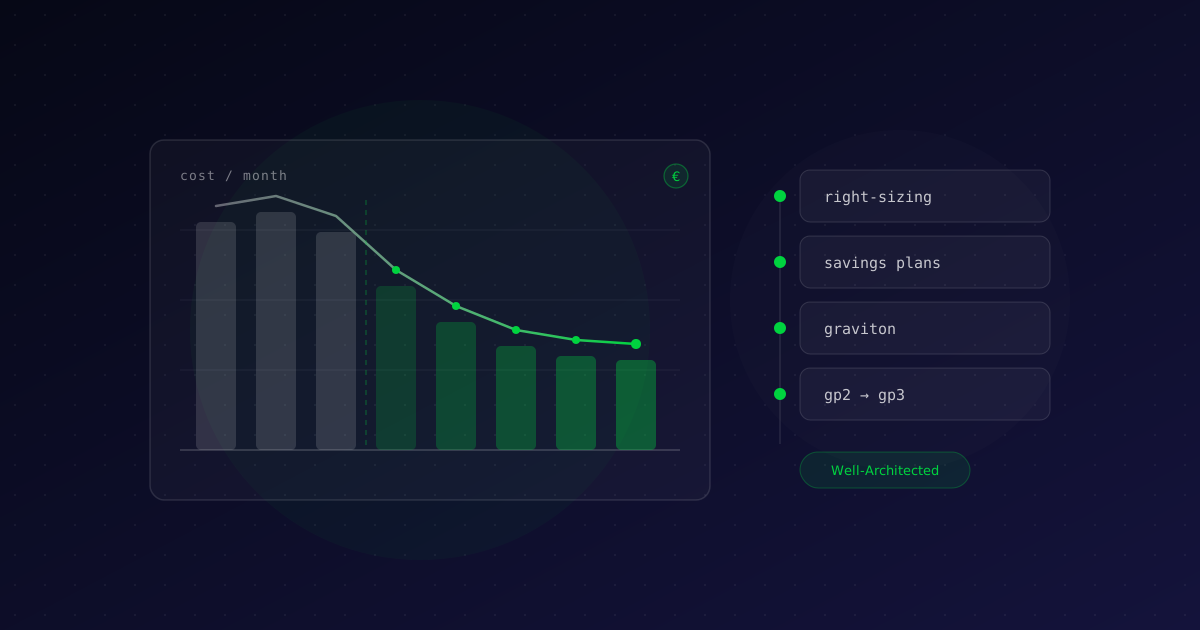
Servers and databases are often sized generously at the start, just to be safe. Months later, the processor never goes above twenty percent. AWS Compute Optimizer analyzes the actual usage of EC2, Auto Scaling groups, Lambda and EBS and makes concrete recommendations. Within the same instance family, one size smaller usually halves the cost of that server.
3. Turn test and development environments off at night
A production environment runs day and night. A test environment doesn’t have to. If you only run test and development servers during working hours, for example twelve hours a day on weekdays, you pay for about a third of the hours in a full week. With Instance Scheduler on AWS or a simple scheduled task, that happens automatically.
4. Commit to your baseline usage
Do certain servers and databases run all the time anyway? Then you are overpaying at the on-demand price. With Savings Plans or Reserved Instances you commit to one or three years of usage in exchange for a substantial discount: according to AWS, up to 72%. Compute Savings Plans are the most flexible: they keep applying when you switch instance type or region, and they also cover Fargate and Lambda. For databases there are Reserved Instances for RDS.
Only commit to your stable baseline, not to peaks.
5. Switch to Graviton
AWS builds its own ARM-based processors: Graviton. According to AWS, they offer up to 40% better price performance than comparable x86 instances. Many workloads, such as PHP applications, Node.js, Java and containers, run on them without code changes. Do test first: components compiled for x86 need an ARM version.
6. Organize storage more smartly
- EBS: move from gp2 to gp3. It is up to 20% cheaper per gigabyte, and you configure performance independently of size.
- S3: data that is rarely accessed doesn’t belong in the most expensive storage class. With S3 Intelligent-Tiering, AWS moves objects automatically; with lifecycle rules, old log files and backups move to Glacier or disappear after a fixed period.
- Snapshots: let Data Lifecycle Manager clean up old snapshots automatically.
7. Watch data transfer and NAT gateways
Data transfer is a cost that often only stands out on the invoice. Three classics:
- Traffic through a NAT gateway is charged per gigabyte processed. If that traffic goes to S3 or DynamoDB, use a gateway endpoint: it is free and keeps the traffic inside AWS.
- Traffic between availability zones is charged in both directions. Let services that talk to each other a lot work in the same zone, as far as availability allows.
- Serve static files and public traffic through CloudFront. That is often cheaper than direct outbound traffic, and the first terabyte per month is free.
8. Scale with demand
An environment sized for the busiest day of the year overpays the rest of the year. Auto Scaling adds servers when it gets busy and removes them when it is quiet. For work that may be interrupted, such as CI/CD runners or batch processing, Spot Instances are up to 90% cheaper. And tasks that only run occasionally are often cheaper on Lambda than on a server that waits all day.
Make it a habit
Cost management is not a one-off project. Schedule a monthly review in Cost Explorer, let every team follow up on its own budget and take costs into account in every architecture decision. The AWS Well-Architected Framework even has a dedicated pillar for it: Cost Optimization.
If you describe your infrastructure as code, for example with Terraform, environments also become easier to clean up and standardize. Our article on CI/CD pipelines explains how automation helps.
Need help?
Want to know what you could save? Request a free AWS cost scan: with read-only access, we show where your budget goes and which savings apply to you.
At Zodi Innovations we analyze your AWS environment, implement the savings and keep an eye on costs afterwards. Discover our approach to AWS Consultancy, read how we migrated a client from on-premise to AWS or let us run your environment with DevOps as a Service. Get in touch for a no-obligation conversation.